6 Desi Gangsta AI Photo Editing Prompts: Black & White Prompt Thar/Bullet – The Prompt Baba
 By Sudip Jana
0 Comments
Want to transform an ordinary photo into a bold, cinematic portrait filled with desi swag and attitude? With AI photo editing prompts, you can create a powerful look inspired by Punjabi music videos, Indian action movies, and modern South Asian street fashion.
These Desi Gangsta AI Photo Editing Prompts help you create dramatic black-and-white portraits, stylish outfits, realistic vehicles, rural backdrops, and movie-inspired lighting while keeping your original facial identity as consistent as possible. Whether you need a striking Instagram profile picture or a cinematic social media portrait, this guide will help you get started.
What Is the Desi Gangsta Aesthetic?
The desi gangsta aesthetic combines South Asian cultural influences with bold street fashion and dramatic cinematic photography. It draws inspiration from Punjabi music videos, Indian action films, urban street culture, and traditional regional styling.
Several visual elements help create this distinctive look:
- Dramatic lighting: Deep shadows, directional light, and high-contrast cinematic tones.
- Bold fashion: Oversized black T-shirts, fitted trousers, traditional kurtas, turbans, and carefully chosen accessories.
- Powerful backgrounds: Rural fields, old streets, traditional architecture, and open countryside.
- Confident expressions: A calm, serious gaze that gives the portrait a strong visual presence.
- Film-inspired color grading: Monochrome tones, subtle grain, matte finishes, and rich blacks.
The best results balance these elements without making the portrait look artificial or overly edited.
Desi Gangsta AI Photo Editing Prompts
Try these two prompts to create cinematic desi-style portraits. Both are designed for AI image editors that support uploading an existing photo as a reference.
Prompt 1: Black-and-White Desi Gangsta Portrait with a Royal Enfield
This prompt creates a vintage-inspired countryside portrait featuring a black motorcycle, casual streetwear, and dramatic monochrome photography. It works well for a bold, cinematic profile picture.
AI Prompt:
Use the uploaded photograph as the primary facial reference. Preserve the person's recognizable facial identity, facial structure, hairstyle, skin tone, and natural proportions as closely as possible. Create an ultra-realistic black-and-white cinematic portrait of the subject standing casually beside a classic black Royal Enfield Bullet motorcycle in an open rural field. The subject leans lightly against the motorcycle, with one hand inside a trouser pocket and the other resting naturally on the seat. Give the subject a calm, confident expression while looking toward the camera.

Dress the subject in a plain oversized black crew-neck T-shirt, straight-fit black trousers, clean white sneakers, and a simple wrist bracelet. Keep the outfit minimal and free of visible logos.

Place the motorcycle at a three-quarter angle so its fuel tank, engine, seat, exhaust, wheels, and handlebar are clearly visible. Surround the scene with tall grass, open farmland, distant trees, and a wide cloudy sky.

Apply a monochrome black-and-white treatment with deep blacks, soft highlights, subtle film grain, a matte finish, and a vintage documentary photography aesthetic. Use natural diffused lighting, realistic shadows, detailed skin texture, and cinematic depth.

Vertical 9:16 composition, full-body portrait, motorcycle positioned beside the subject, spacious sky above, realistic perspective, professional editorial photography, high detail, photorealistic finish.

Avoid changing the subject's identity, distorted hands, extra limbs, duplicated motorcycle parts, artificial skin, text, watermarks, or unrelated objects.
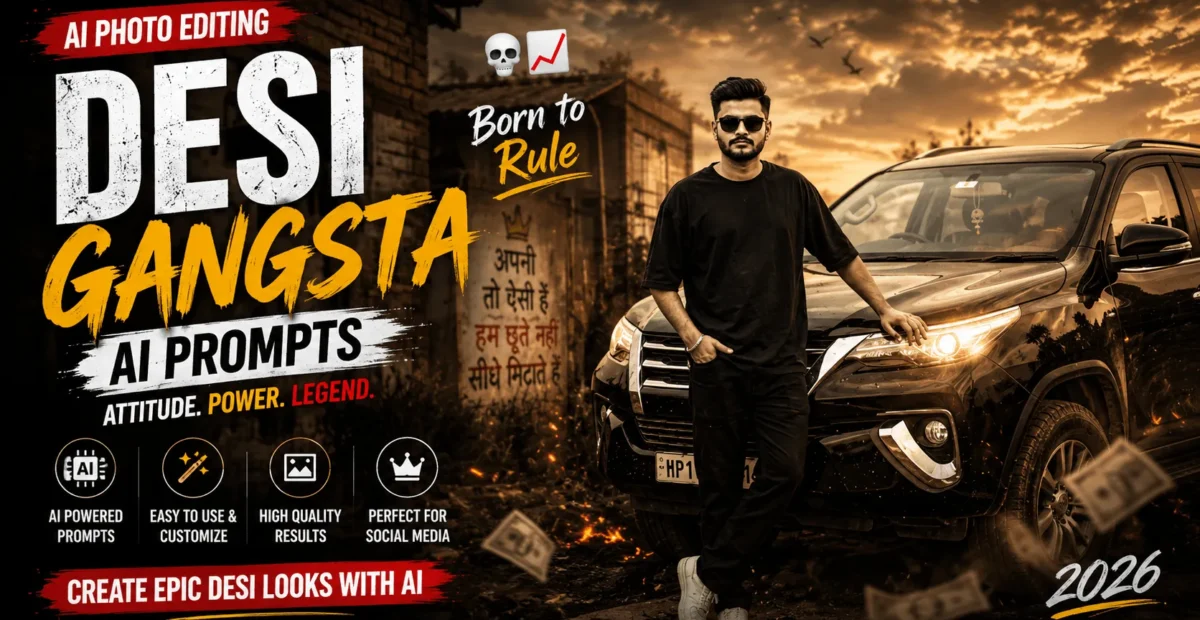
Prompt 2: Cinematic Desi Gangsta Portrait with a Black SUV
Use this prompt for a more powerful movie-poster-inspired portrait featuring a rugged black SUV, countryside scenery, and a confident street-style appearance.
AI Prompt:
Use the uploaded photo as the facial reference and preserve the person's recognizable identity, natural facial features, hairstyle, skin tone, and body proportions as closely as possible. Create an ultra-realistic black-and-white cinematic portrait of the subject standing confidently beside a rugged black SUV in an open rural countryside setting.

Position the subject near the front corner of the vehicle, with one hand resting naturally on the bonnet and the other inside a trouser pocket. Give the subject a composed, serious expression and a direct, confident gaze toward the camera.

The subject wears a plain oversized black crew-neck T-shirt, straight-fit black trousers, clean white sneakers, and a minimal wrist accessory. Keep the styling modern, understated, and authentic.

Show the SUV from a three-quarter front angle, with its grille, headlights, bonnet, bumper, and wheels clearly visible. The background includes tall grass, open farmland, distant trees, and a dramatic overcast sky.

Use cinematic monochrome photography with deep shadows, soft highlights, subtle film grain, a matte finish, and rich black-and-white contrast. Add atmospheric depth, realistic reflections on the vehicle, natural skin texture, and professional editorial lighting.

Vertical 9:16 composition, full-body framing, subject and SUV occupying the lower and central portions of the image, spacious sky above, realistic camera perspective, high detail, photorealistic finish.

Avoid facial distortion, incorrect vehicle proportions, unnatural hands, duplicated objects, artificial textures, text, watermarks, and unnecessary background elements.
How to Use Desi Gangsta AI Photo Editing Prompts
You do not need professional photography equipment to experiment with this style. Follow these steps to create your portrait using an AI image editor.
- Choose a clear portrait where your face is easy to recognize.
- Open an AI tool that supports uploading and editing existing images.
- Upload your photo as the reference image.
- Copy one of the two prompts from this article.
- Paste the prompt into the editing instruction box.
- Generate the image and check the face, clothing, vehicle, and background.
- If the result is not quite right, adjust the relevant instructions and try again.
- Save the final image when you are satisfied with the result.
You can start with ChatGPT or explore other AI image editors that support reference photos. Available features and usage limits depend on the platform and your account.
What Kind of Photo Works Best?
Your reference photo has a major influence on how accurately the AI reproduces your appearance. Keep these points in mind before uploading an image.
- Use a clear portrait: A sharp, well-focused face gives the AI more visual information.
- Choose reasonable lighting: Avoid extremely dark images where facial details are difficult to see.
- Prefer a simple background: Uncluttered surroundings can make it easier to create a new cinematic setting.
- Avoid heavy filters: Natural photos generally provide a better starting point than strongly edited images.
- Keep the face unobstructed: Sunglasses, masks, or objects covering the face can make identity preservation more difficult.
- Use a suitable composition: A photo showing enough of the body can help the AI create a more convincing full-body portrait.
Although the prompts request identity preservation, no AI editor can guarantee a perfect match in every result. Review the generated image carefully before sharing it.
Which AI Tools Can You Use?
Several AI platforms offer image generation or editing features. Choose one that allows you to upload a reference photo and provide detailed instructions about clothing, lighting, composition, and background.
| AI Tool | What to Consider |
|---|---|
| ChatGPT | Conversational image editing when supported by your account. |
| Leonardo AI | Creative image-generation and visual styling options. |
| Adobe Firefly | Image creation and editing workflows with creative controls. |
| Gemini | Image-related capabilities that depend on the available features. |
| Stable Diffusion | Flexible customization for users comfortable with advanced settings. |
| Midjourney | Stylized, cinematic image generation with platform-specific workflows. |
Features, pricing, and free usage limits can change. Check each platform’s current offering to confirm that it supports your preferred photo-editing workflow.
Pro Tips for Better Results
- Describe the exact style: Specify whether you want a vintage countryside portrait, urban street style, or a movie-inspired look.
- Protect facial identity: Ask the AI to preserve the person’s recognizable facial features rather than redesigning the face.
- Be specific about clothing: Mention the garment type, color, fit, and accessories you want.
- Control the lighting: Use instructions such as dramatic side lighting, soft highlights, and deep cinematic shadows.
- Keep the scene believable: Describe the vehicle’s position and the subject’s pose clearly.
- Generate alternative versions: Results vary, so try different generations before making major changes to the prompt.
- Check small details: Review hands, vehicle parts, clothing edges, and facial features for common AI errors.
Common Problems and Quick Fixes
| Problem | Suggested Fix |
|---|---|
| The face looks different | Use a clearer reference photo and emphasize preserving the person’s recognizable facial features. |
| The outfit looks incorrect | Describe the exact clothing, color, fit, and accessories more clearly. |
| The vehicle looks distorted | Request a clear three-quarter view and realistic vehicle proportions. |
| The image looks like a painting | Ask for photorealistic textures, natural lighting, and realistic photography. |
| The lighting is too soft | Request stronger directional lighting and deeper cinematic shadows. |
| The background looks cluttered | Specify an open setting with fewer background objects. |
| Hands or fingers look unnatural | Regenerate the image or simplify the pose to make the hands easier to render. |
Frequently Asked Questions
Can girls use Desi Gangsta AI Photo Editing Prompts?
Yes. These prompts can be adapted for any adult subject. Change the clothing, accessories, pose, and styling instructions to create a version that suits your preferred look.
Do I need to upload my own photo?
Uploading a reference photo is useful when you want the result to resemble a particular person. If your chosen tool supports text-to-image generation, you may also create a new character without uploading a photo.
Why does the AI change my face?
Image editors may reinterpret facial details during a major style transformation. Use a clear reference image, repeat your identity-preservation instructions, and try a less extensive edit if the result changes too much.
How can I make my portrait look more cinematic?
Request dramatic lighting, atmospheric depth, realistic shadows, film-inspired color grading, and a clear composition. These details can help create a more movie-like appearance.
Can I use the generated image as my profile picture?
Yes, you can use a generated portrait as a profile picture, subject to the AI platform’s terms and any applicable rights related to the people, brands, or other elements shown in the image.
Conclusion
Desi Gangsta AI Photo Editing Prompts make it easier to experiment with bold, cinematic portraits inspired by South Asian street style and Indian movie aesthetics. With the right reference photo and detailed instructions, you can create a dramatic image featuring monochrome tones, confident poses, stylish clothing, and realistic surroundings.
Start with either of the two prompts in this guide, review the generated result, and make small adjustments until the composition matches your vision. The most effective edits combine a recognizable face with believable lighting, carefully described details, and a clean cinematic finish.
“`