
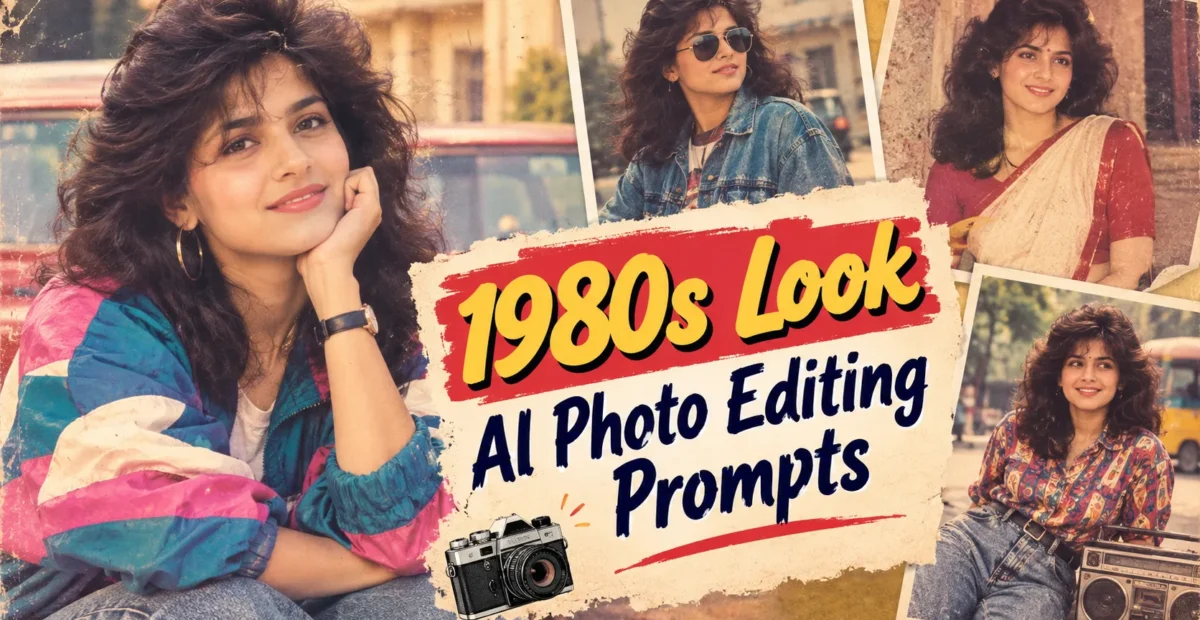
1980s Look AI Photo Editing Prompts: 10 Viral Retro Ideas for 2026 – The Prompt Baba
 By Sudip Jana
0 Comments
The bold and colorful style of the 1980s is returning to social media in 2026. Neon lights, VHS effects, vintage fashion, direct-flash photography, and cinematic night scenes can transform modern portraits into nostalgic retro photographs.
The best 1980s AI photo editing prompts recreate period-appropriate clothing, hairstyles, lighting, locations, props, and camera imperfections. Use the following prompts to create vintage portraits, retro fashion photographs, and cinematic images while preserving your original facial identity.
What Are 1980s Look AI Photo Editing Prompts?
1980s Look AI Photo Editing Prompts are text instructions that help AI image editors transform modern photographs into retro-style images. They can control clothing, hairstyles, backgrounds, lighting, colors, and vintage camera effects.
Common elements include VHS noise, neon lighting, denim jackets, high-waisted jeans, cassette players, CRT televisions, analog film grain, faded colors, and direct-flash photography.
1. Create an Authentic 1980s Indian Portrait
Recreate the atmosphere of an old Indian photograph with vintage fashion, natural greenery, classic vehicles, warm sunlight, and authentic analog film textures.
Copy and Paste Prompt
Prompt:
Transform my uploaded photo into an authentic late-1980s Indian photograph. Preserve the exact facial identity, facial features, skin tone, natural expression, hairstyle, and body proportions of the person in my uploaded image. Recreate a realistic Indian countryside setting with natural greenery, a vintage Royal Enfield Bullet motorcycle, traditional surroundings, and warm afternoon sunlight. Style the scene with period-appropriate clothing, authentic vintage colors, subtle analog film grain, slightly faded tones, natural shadows, and realistic old-camera photography. Keep the original person recognizable and naturally integrated into the environment. Use the reference image only for the scene, styling, and composition, not for replacing the person's identity. Avoid modern objects, excessive filters, distorted facial details, and artificial skin smoothing. Create a photorealistic high-resolution vintage photograph.2. Create a Classic 1980s Vintage Portrait
This style recreates the appearance of a genuine old photograph with vintage hairstyles, soft colors, natural lighting, and subtle analog imperfections.
Copy and Paste Prompt
Prompt:
Transform my uploaded portrait into a realistic vintage photograph from the 1980s. Preserve my exact facial identity, facial structure, skin tone, natural expression, hairstyle, and body proportions. Add period-appropriate clothing, a classic hairstyle, warm analog lighting, subtly faded colors, fine film grain, gentle softness, and authentic vintage photography textures. Use a simple indoor or outdoor background that feels appropriate to the 1980s. Maintain realistic skin texture, natural shadows, and accurate facial details. Make the image resemble a genuine photograph captured with an old film camera rather than a modern image covered with a vintage filter. Avoid excessive grain, artificial scratches, modern accessories, and changes to my identity. Produce a natural, high-resolution retro portrait.3. Create an 1980s Retro Fashion Portrait
Vintage fashion is an effective way to recreate the decade’s distinctive style. High-waisted jeans, printed shirts, denim jackets, and retro accessories can give your portrait a nostalgic appearance.
Copy and Paste Prompt
Prompt:
Transform my uploaded photo into an authentic 1980s retro fashion portrait. Preserve my original face, facial features, skin tone, natural expression, and recognizable identity. Style me in high-waisted jeans, a vintage printed shirt, a classic denim jacket, and tasteful retro accessories. Create a believable 1980s Indian street or college background with period-appropriate details and natural surroundings. Use warm faded film colors, realistic fabric textures, subtle analog grain, natural shadows, and authentic vintage camera lighting. Keep the clothing proportions realistic and ensure the outfit fits naturally. Avoid modern fashion trends, contemporary gadgets, excessive saturation, and artificial facial alterations. Create a stylish, photorealistic vintage fashion photograph in high resolution.4. Create a Retro Monsoon Photograph
A rainy street, old-fashioned umbrella, wet roads, and faded film colors can recreate the nostalgic atmosphere of an Indian monsoon during the 1980s.
Copy and Paste Prompt
Prompt:
Transform my uploaded image into a realistic Indian monsoon photograph from the late 1980s. Preserve my exact facial identity, skin tone, natural expression, hairstyle, and body proportions. Place me on a quiet vintage Indian street during gentle rainfall, with wet roads, an old-fashioned umbrella, traditional buildings, and natural greenery. Use period-appropriate clothing, subtle water reflections, soft cloudy daylight, warm faded film colors, and authentic analog camera grain. Keep the rain realistic and the person's face clearly visible. Create natural shadows, believable reflections, and a nostalgic old-photograph appearance. Avoid modern vehicles, smartphones, wireless accessories, excessive rain effects, and artificial skin smoothing. Produce a detailed, photorealistic high-resolution vintage image.5. Create an 1980s Vintage Fashion Editorial
For a more polished result, recreate a classic fashion magazine photograph using vintage styling, direct-flash lighting, and understated film textures.
Copy and Paste Prompt
Prompt:
Convert my uploaded portrait into a premium 1980s vintage fashion editorial photograph. Preserve my exact facial identity, facial structure, skin tone, hairstyle, and natural expression. Style the subject in elegant decade-appropriate fashion with realistic fabric folds, tasteful accessories, and a confident natural pose. Use a simple studio or urban background, direct-flash photography, subtle film grain, slightly faded colors, and authentic analog image texture. Maintain accurate body proportions, natural skin details, realistic shadows, and professional photographic composition. Keep the styling historically inspired rather than futuristic or cartoon-like. Avoid modern accessories, excessive retouching, distorted hands, and changes to facial identity. Create a polished, believable high-resolution editorial photograph with a nostalgic 1980s aesthetic.How to Use 1980s AI Photo Editing Prompts
Select a clear reference photo in which the face is visible and well-lit. Upload it to an AI image editor that supports reference images, then copy and paste your preferred prompt.
Customize the clothing, background, lighting, and colors to match your preferred retro style. Generate multiple versions and compare facial details, hands, shadows, and background objects before choosing the final result.
Tips for Realistic 1980s AI Photo Edits
- Preserve the original facial identity and natural skin texture.
- Use clothing, hairstyles, and objects appropriate to the 1980s.
- Request subtle film grain and faded colors instead of excessive effects.
- Avoid modern smartphones, wireless earbuds, and contemporary accessories.
- Keep lighting, shadows, and reflections realistic.
- Add text manually after generating the image for better typography.
Reusable Negative Prompt
Use this negative prompt to reduce common image-generation problems.
Altered facial identity, distorted face, plastic skin, blurry eyes, unnatural expression, deformed hands, extra fingers, missing fingers, duplicate people, unrealistic body proportions, modern smartphones, wireless earbuds, contemporary clothing, modern vehicles, futuristic objects, excessive neon, oversaturated colors, extreme film damage, unreadable text, random letters, watermark, brand logo, low resolution, artificial skin smoothing.Best Image Sizes for Social Media
- Instagram portrait: 4:5 or 1080 × 1350 pixels
- Instagram Reels and Stories: 9:16 or 1080 × 1920 pixels
- YouTube thumbnail: 16:9 or 1280 × 720 pixels
- Square profile picture: 1:1 or 1080 × 1080 pixels
- Pinterest poster: 2:3 aspect ratio
Final Thoughts
1980s AI Photo Editing Prompts can transform ordinary portraits into nostalgic vintage photographs, retro fashion images, and cinematic scenes. For the best results, combine accurate period details with natural skin texture, believable lighting, and subtle analog imperfections.
Start with a clear reference photograph, choose a suitable retro concept, and adjust the prompt to match your preferred style. Generate several versions and select the one that best preserves your identity while delivering an authentic vintage appearance.