8 Anime Mirror Selfie AI Prompts (2026): Take a Luxury Selfie with Your Favorite Anime Character – The Prompt Baba
 By Sudip Jana
0 Comments
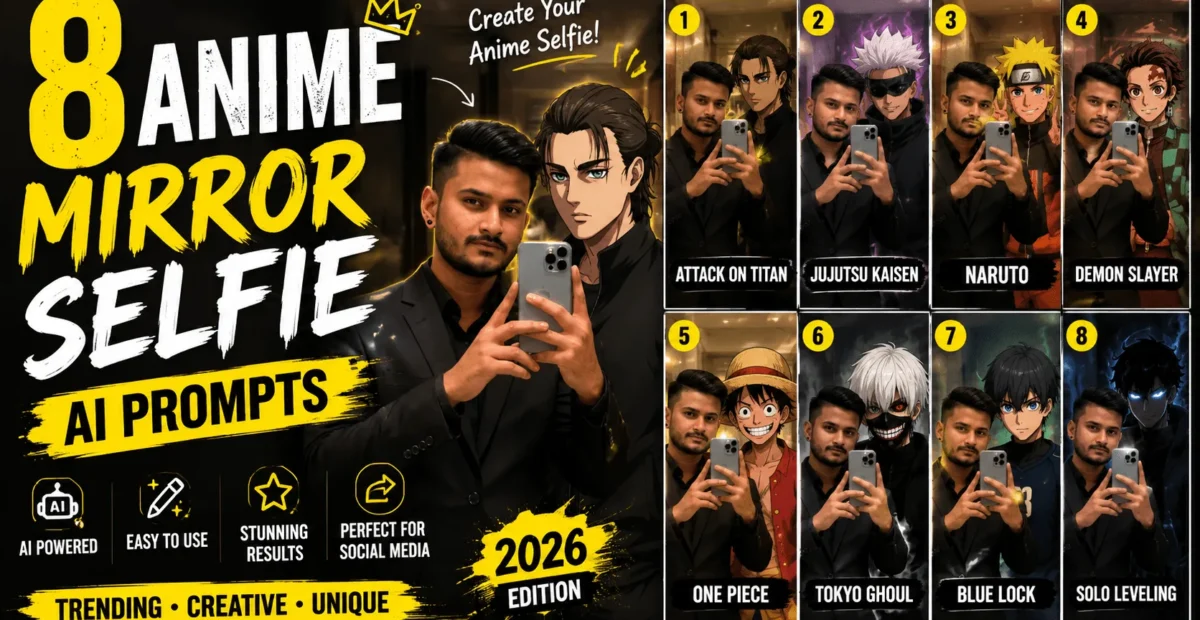
Imagine taking a mirror selfie in a luxury marble bathroom with your favorite anime character standing beside you. Whether you want a stylish photo with Satoru Gojo or a dark, cinematic selfie with Shinigami Ryuk, AI image generation makes this creative concept possible.
The anime mirror selfie AI prompt trend combines realistic photography, luxury interiors, and iconic anime characters in a single image. With the right prompt, you can create a vertical portrait featuring cinematic lighting, realistic reflections, detailed outfits, and an anime-inspired character that fits naturally into the scene.
In this guide, you will find two ready-to-use anime mirror selfie AI prompts, along with simple instructions and customization tips to help you create your own image.
What Is the Anime Mirror Selfie Trend?
The anime mirror selfie trend brings anime characters into realistic selfie-style scenes. The image typically shows a person holding a smartphone in front of a bathroom mirror while an anime character stands nearby.
Luxury marble interiors, warm ambient lighting, detailed clothing, and realistic reflections give the image a polished editorial look. Depending on the AI tool, the anime character may appear in a photorealistic style or as a blend of anime and realistic visual elements.
These images are popular creative concepts for anime fans who want personalized profile pictures, social media posts, wallpapers, and unique digital artwork.
2 Anime Mirror Selfie AI Prompts to Copy
Choose one of the following prompts and customize the person’s appearance, outfit, background, or lighting. Both prompts are designed for a vertical 9:16 composition.
Prompt 1: Luxury Mirror Selfie with Satoru Gojo
Use this prompt to create a stylish, warm-toned mirror selfie featuring Satoru Gojo in a luxury marble bathroom. You can adjust the person’s clothing and appearance to match your preferred style.
Create an ultra-realistic vertical 9:16 mirror selfie in a luxurious beige marble bathroom.

Show a young adult South Asian man standing in front of a large, clean bathroom mirror, wearing a tailored black formal suit, a crisp white shirt, and a black tie. He holds a modern smartphone naturally in one hand, with a relaxed and confident expression. Give him neatly styled, medium-length wavy black hair and realistic skin texture.

Standing beside him is Satoru Gojo from Jujutsu Kaisen, recognizable by his spiky white hair, black high-neck outfit, and confident smile. Give him a subtle anime-meets-realistic appearance that blends naturally with the photographic environment. He is posing casually and making a peace sign.

Use soft warm bathroom lighting, realistic marble textures, accurate mirror reflections, natural body proportions, detailed fabric, cinematic shadows, and balanced exposure.

Keep the composition clean and stylish, with both subjects clearly visible in the mirror. Avoid distorted hands, duplicated phones, incorrect reflections, exaggerated facial features, and artificial skin.

Style: Luxury Editorial Photography, Anime-Realism Blend, Photorealistic Bathroom Interior, Cinematic Warm Lighting, Sharp Details, Vertical 9:16 Composition.
Prompt 2: Dark Cinematic Mirror Selfie with Shinigami Ryuk
If you prefer a darker, supernatural aesthetic, this prompt features Shinigami Ryuk from Death Note in a dramatic bathroom setting. Deep shadows, dark clothing, and subtle atmospheric lighting create a striking visual contrast.
Create a dark, cinematic vertical 9:16 mirror selfie in a luxurious dark-beige and black marble bathroom.

Show a young adult South Asian man wearing a perfectly tailored black suit with a black shirt and black tie. He holds a smartphone naturally while standing confidently in front of the mirror. Give him a calm, serious expression, realistic facial details, natural skin texture, and neatly styled black hair.

Standing slightly behind him is Shinigami Ryuk from Death Note. Depict Ryuk as a tall, eerie supernatural figure with spiky black hair, a distinctive sinister grin, dramatic eyes, dark feathered wings, and a red apple in one hand. Preserve his recognizable character design while blending him into the realistic bathroom environment through cinematic lighting and shadows.

Use low-key warm lighting, deep but detailed shadows, subtle rim lighting, realistic marble reflections, restrained colors, and a mysterious atmosphere. Keep the man photorealistic while giving Ryuk a detailed anime-realism appearance.

Maintain believable proportions, a clear mirror composition, realistic smartphone placement, and consistent reflections. Avoid excessive darkness, distorted anatomy, duplicated objects, and artificial-looking textures.

Style: Dark Cinematic Photography, Supernatural Anime Realism, Luxury Interior, Moody Editorial Aesthetic, Detailed Textures, Subtle Film Grain, Vertical 9:16 Composition.
How to Create Your Anime Mirror Selfie
You can create this type of image using an AI tool that supports text-to-image generation or image editing. Follow these steps to get started.
- Choose the anime character you want to include in your image.
- Copy the corresponding prompt from this guide.
- Open an AI image tool that supports the style you want to create.
- Paste the prompt into the image-generation or editing field.
- Replace the sample person’s description with your preferred appearance and outfit.
- Generate the image and review the character, reflections, hands, and overall composition.
- Make small adjustments and generate another version if necessary.
You do not need to upload a personal photograph when generating an image entirely from text. If you want the result to resemble you, use a compatible image-editing tool and provide a suitable reference photo when supported.
How to Customize These Prompts
Change the Person’s Appearance
Replace the sample description with details such as hairstyle, skin tone, facial hair, clothing, and overall appearance. If you upload a reference photo, instruct the tool to preserve the person’s recognizable features where possible.
Experiment with Different Outfits
You can replace the black suit with streetwear, a casual jacket, traditional clothing, or another outfit. Keep the clothing description specific so the AI can produce a more consistent result.
Change the Interior and Lighting
Try a minimalist white bathroom, a modern black marble interior, or a room with subtle neon lighting. Warm lighting creates a sophisticated look, while cool blue or purple lighting gives the image a futuristic atmosphere.
Adjust the Character’s Pose
Describe whether the character should stand beside you, lean against a wall, look toward the mirror, or pose casually. Clear pose instructions can help the AI arrange both subjects more naturally.
Which AI Tools Can You Use?
Several AI platforms offer image generation or editing features. Availability, pricing, character accuracy, and reference-photo support can vary by tool and account plan.
- ChatGPT: Useful for conversational image creation and iterative prompt adjustments where image generation is available.
- Leonardo AI: An option for experimenting with stylized and realistic image generation.
- Midjourney: Useful for detailed artistic compositions and cinematic visual styles.
- Adobe Firefly: Offers AI image creation and editing features, depending on the available workflow.
- Gemini: Can help with image generation or editing where those features are available.
No single tool guarantees a perfect result. Try the same prompt in a compatible platform and compare the character appearance, lighting, and mirror reflections.
Tips for Better Anime Mirror Selfie Results
- Use the character’s full name. Include the anime series when necessary to make the intended character clearer.
- Specify the visual style. Use terms such as “anime-realism blend” or “cinematic photorealism” to communicate the desired look.
- Describe mirror reflections. Ask for consistent reflections, natural phone placement, and a believable mirror perspective.
- Keep the lighting balanced. Request soft lighting and visible facial details instead of excessively dark shadows.
- Use a vertical format. Specify 9:16 when creating content intended for Stories, Reels, or other portrait layouts.
- Review every result. Check hands, eyes, clothing, reflections, and character details before sharing the image.
Common Problems and Quick Fixes
| Problem | Suggested Fix |
|---|---|
| The character looks too cartoonish | Request a more realistic anime-inspired appearance with natural lighting and textures. |
| The mirror reflection looks incorrect | Specify accurate mirror reflections and consistent object placement. |
| The character is difficult to recognize | Include the full character name and distinctive visual details. |
| Hands or phone look distorted | Request natural hand anatomy and a single correctly positioned smartphone. |
| The image is too dark | Ask for brighter midtones and balanced exposure while retaining the cinematic mood. |
| The composition is cropped incorrectly | Specify a vertical 9:16 composition and ask for both subjects to remain visible. |
Why Anime Mirror Selfies Work for Social Media
Anime mirror selfies combine familiar characters with an unexpected realistic setting. This creative contrast can make them interesting to anime fans and people who enjoy AI-generated artwork.
You can adapt the finished image for a profile picture, social media post, phone wallpaper, or video thumbnail. If you plan to use an image commercially, review the AI platform’s terms and consider the rights associated with recognizable copyrighted characters.
Frequently Asked Questions
Do I need to upload my own photo?
No. You can generate an image from a text prompt if your chosen tool supports text-to-image generation. A reference photo may help when you want the person to resemble you.
Can I replace Gojo or Ryuk with another anime character?
Yes. Replace the character’s name and visual description with the character you prefer. Results will depend on how well the AI tool understands that character.
Why does the generated character look different from the anime?
AI tools may interpret character descriptions differently, especially when converting an illustrated design into a realistic style. Adding distinctive features and adjusting the prompt can improve the resemblance, but exact accuracy is not guaranteed.
Can I share these images on Instagram or YouTube?
You can generally share AI-generated artwork subject to the platform’s rules and the rights involved. Commercial use may require additional consideration, particularly when recognizable copyrighted characters are included.
Which prompt should I try first?
Start with the Gojo prompt if you prefer a bright, stylish portrait. Choose the Ryuk prompt for a darker, supernatural atmosphere with dramatic shadows.
Conclusion
Anime mirror selfie AI prompts let you combine a realistic selfie composition with your favorite anime characters. The Gojo prompt creates a stylish luxury-bathroom portrait, while the Ryuk prompt offers a darker cinematic concept.
Copy either prompt, customize the appearance and setting, and experiment with a compatible AI image tool. Small adjustments to lighting, pose, and visual style can make a noticeable difference in the final result.
“`