6 New 15 August Independence Day AI Prompts: Create aesthetic Images for India – The Prompt Baba
 By Sudip Jana
0 Comments
Every year on 15 August, India celebrates Independence Day with pride, patriotism, and respect for the people who contributed to the nation’s freedom. From flag-hoisting ceremonies to tricolour decorations, the day inspires people to share messages and creative visuals that express their love for India.
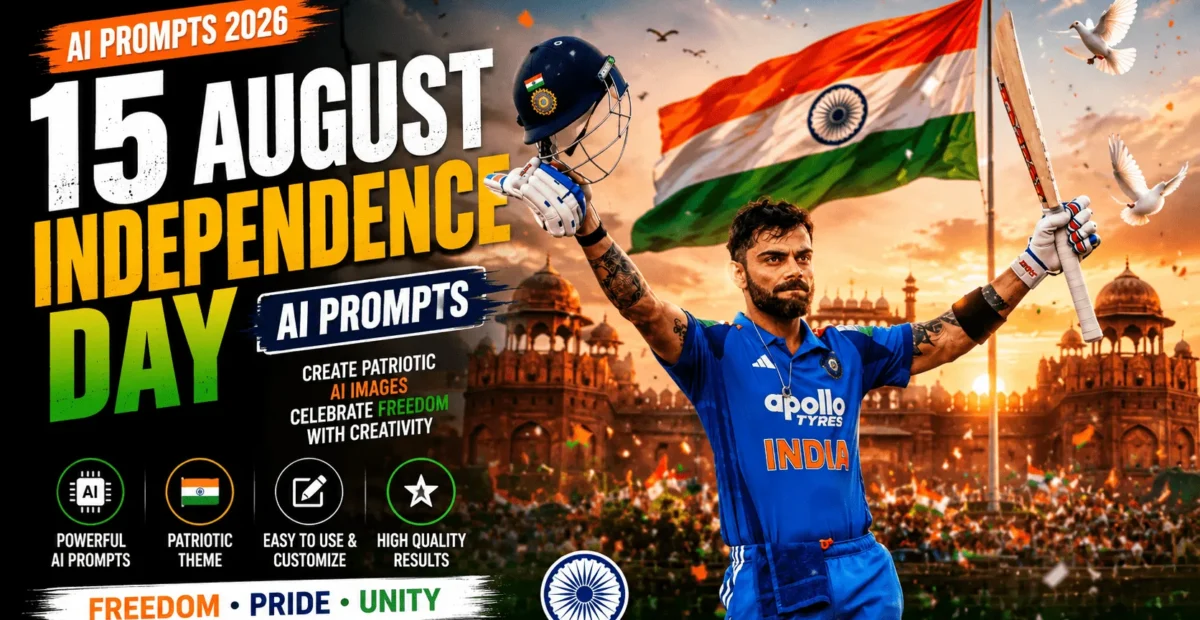
You can create your own patriotic portraits and Independence Day posters using AI image generators. With the right 15 August Independence Day AI prompt, you can transform a simple photo or creative idea into a cinematic image featuring the Indian National Flag, iconic landmarks, and beautiful tricolour effects.
In this guide, you will find two ready-to-use AI prompts, a simple creation process, and practical tips for making your Independence Day images look polished and professional.
Why Use a 15 August Independence Day AI Prompt?
Designing a patriotic poster from scratch can require time, editing skills, and graphic design software. AI image generators make it easier to explore creative concepts by turning detailed text instructions into images.
- Saves time: Create a visual concept without designing every element manually.
- Easy to customize: Change the background, outfit, lighting, pose, and composition.
- Social media ready: Create portraits for WhatsApp status, Instagram posts, Stories, and Reels covers.
- Useful for events: Develop concepts for school celebrations, college activities, and Independence Day greetings.
- Creative freedom: Experiment with historic landmarks, flag-inspired colours, and cinematic photography styles.
Best 15 August Independence Day AI Prompts
Use the following prompts to create two different patriotic looks. The first focuses on a cinematic portrait of a person celebrating Independence Day, while the second features a traditional studio-style portrait with the Indian National Flag.
Prompt 1: Cinematic Independence Day Portrait
This prompt is ideal for creating a dramatic patriotic portrait with a waving Indian flag, warm sunrise lighting, and a celebratory atmosphere. Use a reference photo if you want the generated person to resemble you and your image generator supports reference images.
Create an ultra-realistic cinematic Independence Day portrait using the uploaded photo as a facial reference. Preserve the person's recognizable facial features, hairstyle, skin tone, and natural expression. Show the person standing confidently in the foreground, wearing a clean white shirt and dark trousers. Behind them, feature a large Indian National Flag waving proudly in the wind, with a softly blurred historic Indian monument in the distance. Add warm golden sunrise lighting, gentle morning mist, saffron, white, and green bokeh effects, subtle flying birds, and a distant crowd celebrating Independence Day. Use realistic fabric textures, natural skin details, accurate shadows, professional DSLR photography, shallow depth of field, balanced HDR lighting, and premium cinematic colour grading. Include elegant, correctly spelled typography reading "15 August" and "INDEPENDENCE DAY" near the bottom. Vertical 4:5 composition, high detail, respectful patriotic atmosphere, no extra flags, no distorted text, no watermark.Prompt 2: Indian Tricolour Studio Portrait
This prompt creates a clean, elegant studio portrait featuring the Indian National Flag. It works well for a simple Independence Day greeting, profile portrait, or patriotic social media post.
Create an ultra-realistic patriotic studio portrait of a young adult Indian woman standing gracefully against a clean matte black background. She wears an elegant outfit in neutral colours with the Indian National Flag draped respectfully around her shoulders. Preserve natural facial proportions, realistic skin texture, expressive eyes, and a gentle, confident smile. Show the saffron, white, and green sections of the flag clearly, with the navy-blue Ashoka Chakra accurately represented on the white band. Add soft cinematic key lighting from one side, subtle rim lighting, realistic fabric folds, natural hair movement, delicate shadows, and premium editorial photography quality. Keep the composition simple and elegant, with the subject clearly visible and the flag as the main patriotic element. Use true-to-life colours, sharp facial details, a professional DSLR portrait aesthetic, and a vertical 4:5 aspect ratio. No extra symbols, no distorted Ashoka Chakra, no unwanted text, no watermark.How to Use These 15 August AI Prompts
You can use these prompts with an AI image generator that supports detailed text instructions. Follow this simple workflow to get started.
- Choose one of the two prompts based on the style you want.
- Open your preferred AI image generation tool.
- Copy the complete prompt and paste it into the prompt field.
- If you want to preserve your appearance, upload a suitable reference photo when the tool supports it.
- Select a vertical 4:5 aspect ratio for an Instagram-style poster, or choose another supported ratio for your intended platform.
- Generate the image and check the face, flag colours, Ashoka Chakra, and any text.
- Make small changes to the prompt and regenerate if the result does not match your expectations.
Best AI Tools for These Prompts
Several AI image generation tools can help you create patriotic portraits and posters. The available features, image quality, aspect ratios, and reference-photo options vary by tool and subscription plan.
- ChatGPT image generation: Useful for creating images from natural-language instructions and refining results through follow-up requests.
- Midjourney: An option for exploring stylized, cinematic, and artistic visual compositions.
- Leonardo AI: Offers image-generation workflows and creative controls that vary by model and plan.
Before choosing a tool, check whether it supports your preferred aspect ratio, reference-image workflow, and intended usage.
Pro Tips to Get the Best Results
- Use a clear reference photo: Choose a well-lit image if you want the generated portrait to resemble a particular person.
- Describe the composition: Explain where the person, flag, and background elements should appear.
- Check flag accuracy: Review the colours, proportions, and Ashoka Chakra carefully.
- Keep the design respectful: Present the national flag appropriately and avoid distorted or misleading representations.
- Be careful with text: AI-generated lettering may contain mistakes. Add the final wording with an image editor if necessary.
- Choose the right aspect ratio: Use a vertical format for Stories and portraits, or a square layout for suitable social media posts.
- Refine gradually: Change one or two details at a time to understand how they affect the result.
Frequently Asked Questions (FAQs)
Can I use these prompts without uploading a photo?
Yes. You can generate a new person and scene from the text alone. A reference photo is optional and is useful when you want the subject to resemble a particular person.
Which aspect ratio is best for Independence Day posters?
A vertical 4:5 format is a useful choice for portrait posters and Instagram feed posts. A 9:16 format may be more suitable for Stories and Reels covers. Choose the ratio supported by your image generator.
Why does the Indian flag sometimes look incorrect?
AI image generators can make mistakes with symbols, lettering, and intricate details. Describe the flag clearly in your prompt and inspect the generated result before sharing it.
Can I share AI-generated Independence Day portraits online?
Generally, you can share images when your chosen tool’s terms permit it. Check the relevant usage rules, especially for commercial use, and make sure your final design represents national symbols respectfully.
Conclusion
A well-written 15 August Independence Day AI prompt can help you create a memorable patriotic portrait without starting your design from scratch. Whether you prefer a cinematic outdoor scene or a simple studio portrait with the Indian National Flag, these two prompts provide a useful starting point.
Experiment with lighting, outfits, backgrounds, and composition to develop your preferred style. Check the final image for accurate flag details and readable text before sharing your Independence Day creation with friends, family, or your social media audience.
“`